



how to use indicator in tradingview charts
Indicators are tools that help us in technical analysis and allow us to make accurate and reliable analyses and successful trades. As you know, Trading View website is one of the best places to perform technical analysis and check all types of financial markets, including Forex. The Trading View website contains various and powerful indicators and many accurate tools for chart analysis, which makes us have better analyses by using them. Today in this article we want to learn how to use indicators in TradingView, stay with us.
Adding indicators to the chart in the trading view
Go to your chart in the trading view and click on the Indicators option in the horizontal bar at the top of the page. By clicking on the option of indicators, a new page will open for us, which has several options
Once the new window opens, click on the Technicals option.
By clicking on the technical option, the indicators window will open for us and we will have access to all the indicators, and by clicking on the name of each indicator, this indicator will be added to our chart.
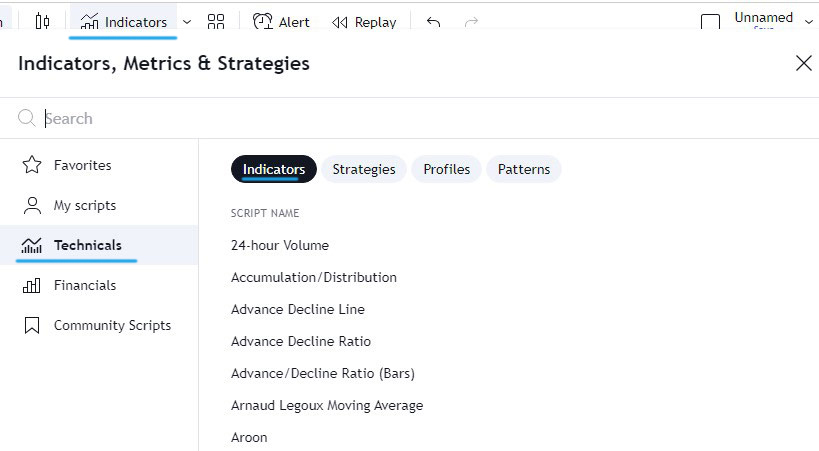
Photo by TradingView
Each indicator or tool you see on this page has a star icon next to it, by clicking on this star icon you can add this indicator to your favorites section for quick and easy access. In the top bar of this window, designated for indicator search, you can enter the name of your desired indicator and add it to your chart.
We hope you enjoyed reading this article.